


Conducting training online
The WhenSpeak platform contains a complete set of tools for hosting conferences, presentations, and forums.
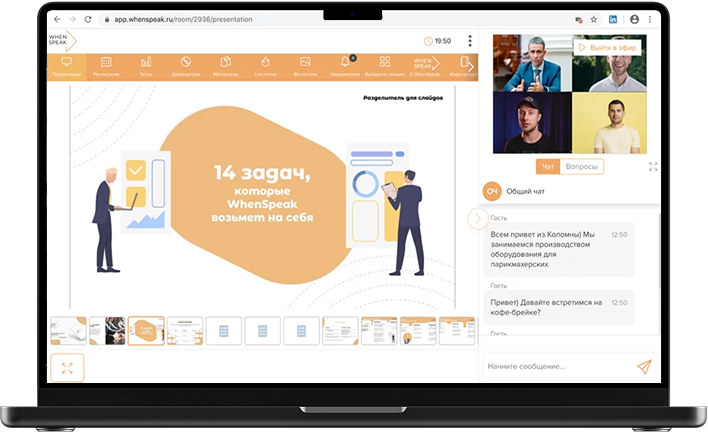
Main features of the platform
1
Presentation management
The presenter can control slides using a smartphone, even without a clicker.
2
Launching polls
Participants vote from their devices without needing to send SMS or use remotes.
3
Receiving questions
The speaker sees participants’ questions, and the audience can ‘like’ the most interesting ones.
4
Virtual simulator
Interactive exercises and assignments help accelerate the learning process.
5
Training chat
Participants can discuss material, ask questions and exchange opinions in a group chat.
Workflow of WhenSpeak


Scenario
Before conducting training, you need to create a detailed scenario and plan. It’s also important to provide for interaction with listeners, such as Q&A during the training.


Tools
Successful online training combines visual tools that improve memory and understanding. It may include relevant drawings, diagrams, and information summaries to reinforce knowledge.
The platform can be used by:
1
Speaker
Manages presentations using a smartphone, independently starts and stops voting.
2
Participant
Can vote, save presentations and ask questions through personal devices.
3
Organizer
Exports statistics, manages users and content.